Custom web application development
We design and build custom web applications that our clients' customers, suppliers and partners work in every day. From client and B2B portals through reservation and ordering systems to large platforms for multinationals and ambitious startups.
Book a free consultation





Which page is right for you?
Web application development
Need an application for customers, suppliers or partners?
Information systems development
Looking to digitise internal agenda and processes for your employees?
Custom software development
Not sure exactly which solution would suit you best? We're happy to help.
What a web application is and how it differs from a website
A web application is a program you open in a browser and start working in straight away. You sign in, enter data, approve things, print or export overviews. Nothing needs installing, and it runs on Windows and on a Mac, on a computer, a phone or a tablet. When a new feature or a fix arrives, every user gets it at once. That is why this is the most common way companies move work they have been doing in spreadsheets and e-mail into digital form.
What sets it apart from an ordinary website is what happens after you sign in. A website only shows information; an application actually works with it. Every user has their own permissions and sees only what they are meant to see. The application can calculate and check that everything matches your rules, and its data either lives in its own database or is read from and written to the systems it connects to — SAP, another internal system or an external SaaS. Web application development is therefore closer to custom software development than to building websites.
A web application, though, is not the same thing as an information system. A web application describes how an application works and how a user reaches it — typically through a web browser. An information system describes mainly who it serves and what for; it can perfectly well be built as a web application that runs purely inside a company. What matters, then, is not whether an application is internal or public, but what problem it solves, who uses it and what requirements it has to meet. This page covers applications for customers, suppliers and partners.
| Criterion | Website | Web application |
|---|---|---|
| Purpose | Users read information | Users work in it and change data |
| Access | Publicly available content | Sign-in, roles and permissions |
| Data | Content in a CMS | Business logic over the data |
| Integrations | A form, analytics | API connections to ERP, payments, carriers |
| Operation | Handles visitor traffic | Must carry users working concurrently |
| Life cycle | A redesign every few years | Features evolve with the business |
The web applications we build
Most of the web applications we build fall into one of these types. Each has its own page with details and examples from delivered projects.
B2B and B2C portals
Client and supplier portals where partners handle their own agenda — orders, documents, invoicing, complaints. The most common type of application we build.
B2B and B2C portalsReservation systems
Booking capacity, slots and resources with a calendar, confirmations, payments and a link to internal planning — from cultural institutions to healthcare.
Reservation systemsOrdering systems
Receiving and processing orders with your own rules, price lists and approvals — where an off-the-shelf e-commerce solution cannot cover the requirements.
Ordering systemsWeb dispatching
Planning and running operations in real time — jobs, vehicles, technicians, shifts. Dispatching in the browser is usually paired with a mobile app for people in the field.
Web dispatchingCommunication applications
Real-time communication between a company and its clients or inside a team — chat, notifications, document sharing and bulk messaging connected to your contact database.
Communication applicationsSales portals
Applications for sales teams and distribution networks — configurators, quotations, opportunity tracking and reporting on current data.
Sales portalsApplications aimed primarily at your own employees — CRM, intranets, logistics and HR systems — are covered under information systems development. If you need an application on a phone without installing from a store, take a look at progressive web applications.
Web applications used daily by thousands of people
We have been building web applications since 2003 for manufacturers, carriers, cultural institutions and startups. Here are four projects where the application is used daily by people outside the client's company — more in our references and case studies.
Supplier portal for a car manufacturer
For Hyundai Motor Manufacturing Czech we developed a large supplier portal — a B2B web application in which external suppliers handle the agenda around deliveries to production. The project covered process analysis, the design of roles and permissions, and integration with the plant's internal systems.
Result: the carmaker's suppliers work in one environment instead of e-mails and spreadsheets.
Hyundai case studySupplier portal and Europe-wide truck transport management
For the exclusive fruit and vegetable carrier for the Albert retail chain we built a logistics web application with a portal for suppliers and hauliers. It covers transport planning and driver shifts within statutory limits, an integrated SMS gateway and information boards in distribution centres. A driver mobile app runs on the same API.
Result: suppliers across Europe see the status of their loadings online, and dispatchers plan driver shifts in one system.
Bakker case studyApplication for construction project management
A web application for managing construction projects that connects the office with the building site — work records, reports, photo documentation and approvals. We designed it so that one backend serves both the web interface and a mobile app for work in the field.
Result: site managers enter data from a phone on site and the office sees it immediately.
Smart work system case studySelf-service application for domain and hosting management
A customer-facing web application for a domain registrar where clients register and manage domains, hosting services and invoicing on their own. It is connected to domain registries and a payment gateway and has to respond instantly at the moment an attractive domain is released.
Result: customers handle registration and administration themselves, without contacting support.
Domena case studyWhat quality web application development rests on
Architecture that carries thousands of concurrent users
Speed in the browser is part of the brief
Cloud-native operation and releases without planned downtime
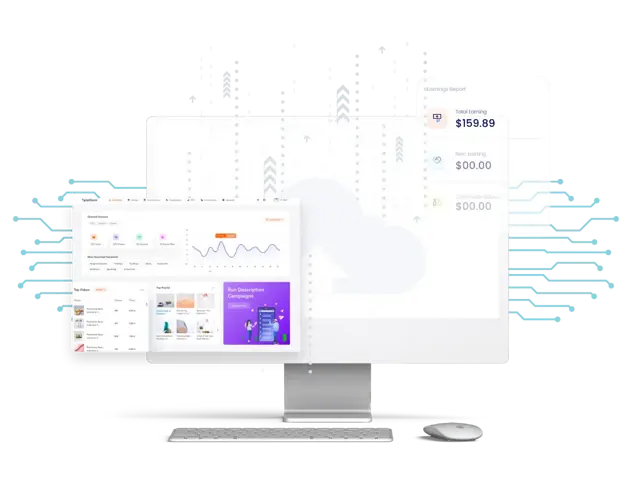
API-first: an application that talks to its neighbours
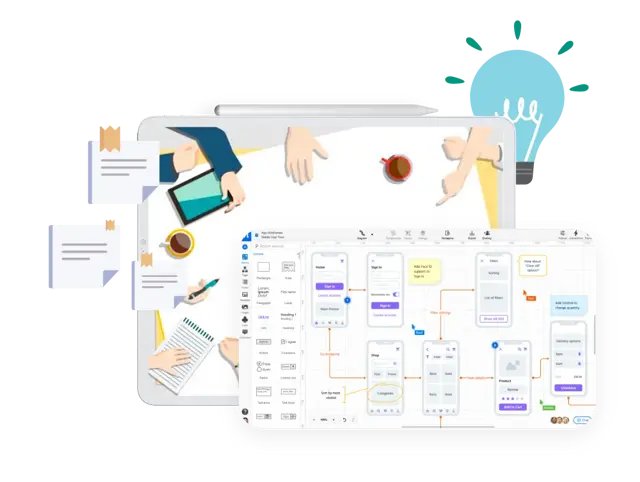
Code that will not throttle development in two years
How web application development works step by step
We run development agile in two-week iterations, so you see working parts of the application as they appear and can comment on them. Every project comes with project management that keeps budget, deadlines and dependencies in check.
First consultation
We go through the problem you want to solve, who will use the application and what it has to connect to. That produces a first estimate of scope and price. The consultation is free and without obligation.
Phase output: an indicative scope, price and timeline you can work with.
Analysis and specification
We map the processes, user roles and data flows and write a functional specification. For more complex briefs this is a separate process analysis whose output you could also use to approach another supplier.
Phase output: a functional specification.
UX design and prototype
First a wireframe and a clickable prototype you review before any programming, then the visual UX/UI design. The prototype is the cheapest place to change your mind.
Phase output: a clickable prototype and visual design of every key screen.
Development in iterations
Development runs in iterations on a documented API. Changes go through code review and automated tests that help catch bugs and regressions before deployment. That makes it possible to keep extending the application while preserving its stability and long-term maintainability.
Phase output: working parts of the application on a test environment after every iteration.
Deployment and launch
Deployment to production, migration of data from the existing solution, user training and monitoring setup. Production releases go out without planned downtime, so users don't notice them in most cases.
Phase output: the application live, users trained, documentation handed over.
Operation and growth
After launch we take over operation under a service level agreement (SLA) — availability monitoring, security updates, backups and further development driven by priorities from real use.
Phase output: a guaranteed response time and a plan for further development.
How much a web application costs
The ranges below come from projects we have actually delivered and from the same model our price calculator runs on. The exact figure always follows the analysis of your brief — this is orientation, so you know what order of magnitude we are talking about.
MVP or single-purpose portal
3–4 months of development
CZK 700,000 – 1,100,000
A first usable version of the application or a single-purpose portal — an ordering or reservation system with one main role and a few integrations. The typical choice when you want to validate the idea in real use before committing to full scope.
Client portal with roles and integrations
6–9 months of development
CZK 1,500,000 – 2,100,000
A client or supplier portal with several user roles, an approval process, reporting and connections to internal systems. The most common scope of the projects we take on.
Large platform
from 12 months of development
from CZK 3,500,000
A large platform covering several areas of the business — dozens of screens, demanding business logic, integrations with critical systems. At this size a range stops being useful and we set the price after the analysis; often it is also a company information system.
What drives the price of a web application most
- The number of screens and the range of features the application must cover from day one.
- The number of user roles and permissions — each role means its own screens and rules.
- The complexity of the business logic — approval workflows, price calculations or capacity planning raise the price the most.
- The number and complexity of integrations — a payment gateway is different work from an ERP or a public register.
- How demanding the UX and design are — from using a component library to a fully bespoke interface.
- Data migration from the existing solution, when the application replaces a spreadsheet or an older system.
The amounts are exclusive of VAT and cover analysis, UX design, development, testing and deployment. A precise quote follows the process analysis, which on larger projects is a separate, paid phase — its output is a brief you could also use to approach another supplier.
Calculate an indicative priceSecurity and operation of an application for customers and partners
The applications on this page are aimed at customers, suppliers and partners — an outage or a data leak is felt by people outside your company immediately, which raises the bar for security and operations. Applications built mainly for your own employees often have different requirements; we cover those under information systems.
Protection against outside attacks
An application like that is usually reachable beyond your company network, so we handle security from the architecture design, not just before launch.
- Protection against malicious code slipped into forms or pages, forged requests submitted under someone else's login, and redirects to fake websites.
- Permission checks at the API level, not just a hidden button in the interface.
- Two-factor authentication, session management and protection against password guessing.
- Rate limiting and bot protection on publicly reachable forms and APIs.
- Regular library updates and monitoring of vulnerabilities in dependencies.
- Personal data processing designed to comply with GDPR.
Operation, availability and SLA
An application your customers use has to be available on a Friday evening too. So we design operations with the same care as the development itself.
- Availability and error monitoring 24/7, alerting us before users report the problem.
- A service level agreement (SLA) with a guaranteed response time and a named contact.
- Automated deployment (CI/CD) across separate environments, so no version reaches production untested.
- Scaling performance with the load — seasonal peaks, bulk imports and marketing campaigns.
- Backups with verified restores and a defined recovery point, not just a snapshot switched on.
Technologies we work with
We build web application backends on Ruby on Rails and Node.js, frontends on React and TypeScript, keep data in PostgreSQL and run it on AWS. It is a combination we have used for years, so we can estimate effort and troubleshoot production issues in it — and one that is easy to hire for, should you ever want to take the application over with your own team. A full overview of the technologies we use is in its own section.



Frequently asked questions about web application development














Got a web application in mind?
Tell us what you need to solve. In the first meeting we go through the process, the users and the connections to surrounding systems, and tell you whether it makes sense to start with an MVP or go straight for the full application — including indicative scope and price.