Case studyConstruction

Smart Work System – managing jobs, people and finances
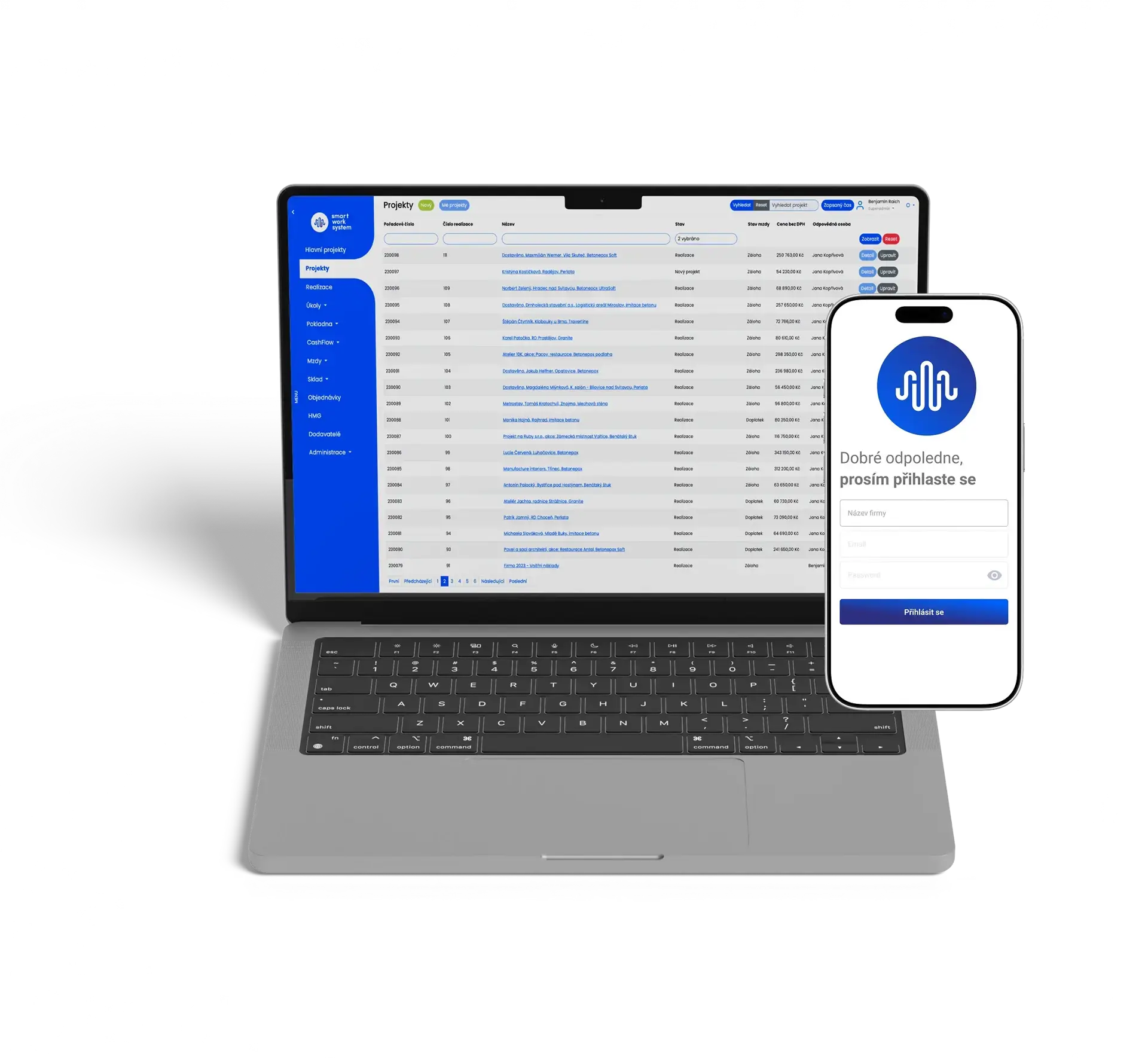
For smart work system s.r.o. we develop the web and mobile application that construction and contracting companies use to manage jobs, work, payroll and finances.
- the year we started developing the system
- 2016
- delivered requests
- 1,885
- functional modules
- 18
- mobile app languages
- 4
The project in brief
- What it is
- A web and mobile application for managing jobs, work, payroll and finances of small and medium-sized companies.
- Industry
- Construction, architecture and design
- Client
- smart work system s.r.o., Prague
- iQuest's role
- Development of the system since 2016
- Platforms
- Web, iOS and Android
- Technologies
- Ruby on Rails, PostgreSQL, React Native, Heroku
- Hosting
- Cloud (Heroku) or the customer's own server
- Artificial intelligence
- MCP server for working with the system through AI assistants (in development)
01Starting point
From paper timesheets to a single system
Smart Work System was born among people from the construction industry. They could not find software on the market that matched the needs of their field. The starting problem was paper timesheets that were retyped into Excel by hand and used to calculate wages. Today the system covers the whole company: from the quote through work on site to cash flow. iQuest has been developing it since 2016.
Paper timesheet on site
Retyping into Excel at the office
Calculating wages by hand
Time logged on the phone, straight to the project
Automatic calculation from rates
Workers see their wage claim online
02What the system covers
One system for the whole company
18 functional modules and 6 cross-cutting areas. Pick an area to see what the system handles there.
Jobs and projects
Records of jobs and main projects, execution, work schedules and tasks for people in the field.
- Projects
- Main projects
- Execution
- Schedule
- Tasks
Work and people
Logging time to projects, time budgets with activity billing and automatic wage calculation.
- Time logging
- Time budget and activity billing
- Wages and payouts
Finance
Income, costs and profit of every job and of the whole company. Planned payments, overdue receivables and the cash register.
- Cash flow with forecast
- Cash register
- Project economics
Documents and sales
A linked chain of documents from the quote to the final settlement, orders with approval and a CRM.
- Linked billing documents
- Orders with approval
- CRM
Material and assets
An overview of material, tools and machines: who uses what, where it is and how much material a project consumed.
- Warehouse
- Asset records
Administration
Reports, export of all data and documents, administration and role and permission settings.
- Reports and exports
- Administration
- Roles and permissions
03Benefits
Features that save work day to day
Six examples of what the system handles in everyday operations.
Less payroll paperwork
Workers log time on their phone, straight to the project. The wage claim is calculated automatically from hourly or piece rates, separately for employees and contractors.
Economics of every job
Price, income, invoiced, paid, costs and profit in CZK and in percent. Per project: labour, material and other costs as well as overheads.
Documents without retyping
A quote turns into a contract, a job sheet, a handover protocol, partial invoices and the final settlement. The data carries over on its own.
Schedule on the phone, not on paper
Planning work by weeks, days and hours and assigning people to specific days. Workers have their job sheets on the phone.
Overview of material and tools
Who uses what and where. Checking material consumption on projects helps prevent unnecessary losses.
Protection against editing hours
You can limit how far back workers may log time. Only people with the permission can edit logged hours.
04Processes
Processes the system runs for you
Three examples of data flowing through the system without being entered twice.
Quote
Ready in minutes from the job data.
Contract for work
Created from the quote, no retyping.
Job sheet
Instructions for the site, on the phone too.
Handover protocol
Confirms the handover of the work.
Investor confirmation
Sign-off of the work done.
Partial invoices
Billing as the work progresses.
Final settlement
Closing settlement of the job.
Time logging
The worker logs time to a project on the phone.
Checks
Max. 24 h a day, no overlaps, no future entries, a limit on days back.
Approval
Even automatic, if the worker was inside the project's GPS perimeter.
Wage calculation
Based on rates and the type of engagement.
Timesheet
Hours worked and the claim for the period.
Payout
Records of wages paid.
Cash flow
The payout shows up in the company's finances.
Created
The order is entered in the system.
Awaiting approval
Waiting to be approved.
Approved
Free to move on.
Expense proposal
Added to cash flow automatically.
Invoicing
The order moves on to invoicing.
05Mobile app
A mobile app for people in the field
iOS and Android, built with React Native. The app speaks four languages, which makes working with foreign workers easier.
Time is logged straight to the project. Workers also see their work history for any period.
Workers continuously see their current claim based on the hours logged.
Tasks from the supervisor with push notifications and a count of new tasks.
The schedule and job sheets on the phone instead of paper.
Photos from the field are saved straight to the project, with a note.
An alert when entering the project's perimeter and navigation to the site.
Interface preview with illustrative data.
06Security
Security and access control
Everyone sees only what they need. And the data stays under the company owner's control.
Where the system runs

CloudHosted on the Heroku cloud platform.
Own serverInstalled on the customer's server.
Every customer has their own instance of the system.
11 user roles
Roles can be renamed to fit the company's conventions. A custom role offers up to 26 permissions.
Two-factor authentication
Sign-in with a one-time code (TOTP), for example via Google Authenticator.
Change history
You can trace what changed in a record and when.
Data under control
Export of all data and documents including attachments, structured by project.
07Integrations and technologies
Integrations and technologies
The services the system connects to and the technologies it is built on.
Connected services

- Maps and geolocationProject GPS perimeters and navigation
- SendGridSending documents by email
- Push notificationsAPNS and FCM for iOS and Android
- AWS S3Storage for documents and photos
- Google AuthenticatorTwo-factor sign-in
- SentryError monitoring
08Artificial intelligence
MCP server: working with the system through AI
We are developing an MCP server for Smart Work System. It will let users work with the system through AI assistants and large language models (LLMs) such as Claude or ChatGPT, and ask about the data in the system in plain language.
The open MCP standard
Model Context Protocol is an open standard through which AI assistants and AI agents connect to the data and functions of business systems.
Questions in plain language
Instead of searching through tables, it will be enough to type a question, for example about hours worked or the state of a job.
No lock-in to one AI vendor
The MCP server will work with AI tools that support the standard, so companies can choose which assistant they work with.
We explain how MCP works and what it brings to business systems in the article What is MCP (in Czech). We also connect internal systems to artificial intelligence via MCP as part of custom software development.
09How we work together
Long-term development, not a one-off project
We have been working on Smart Work System since 2016. We develop the system step by step based on feedback from its users, and every customer gets their own instance. This is what agile development looks like in practice.
- 2016Development starts at iQuest
- OngoingDevelopment driven by user feedback
- 8/20261,885 delivered requests
- In developmentMCP server for AI assistants
How it works
Request
The client comes with a request.
Discussion and analysis
We discuss and analyse the request together with the product manager.
Agreement
We agree on the resulting solution together.
Development
It goes into development, depending on whether it concerns the web or the mobile app.
- Jan VoňavkaWeb application
- Jiří DušekMobile app
What the client says
We have been working with iQuest for a long time on the development of our smart work system software and we are very satisfied with the cooperation. Above all, we appreciate their professional approach, reliability, fast communication and the ability to find working solutions even for more complex requirements, of which there are quite a few on our side. :-)
For us, the iQuest team is not just a supplier but above all a partner with whom we can openly discuss the further development of the system and look for the best way to the result together. Thank you!
We can only warmly recommend working with iQuest!
10In numbers
The system's scope in numbers
- delivered requests
- 1,885
- functional modules and 6 cross-cutting areas
- 18
- web application screens
- ~48
- user roles, up to 26 permissions
- 11
- documented business processes
- 17
- mobile app languages: Czech, English, Ukrainian, Russian
- 4