Custom information systems development
We build company information systems for internal agenda — from process and data analysis through architecture design and ERP integration to operation and support. Systems your employees work in; applications aimed at customers and partners in a browser have their own section.
I am interested in a system





Which page is right for you?
Web application development
Need an application for customers, suppliers or partners?
Information systems development
Looking to digitise internal agenda and processes for your employees?
Custom software development
Not sure exactly which solution would suit you best? We're happy to help.
What a company information system is and when a boxed product falls short
A company information system is software your employees work in — it records the agenda, enforces approval workflows, keeps data in one place and produces the basis for decisions. Unlike an application for customers, nobody sees it from outside, and yet the daily running of the company rests on it.
A boxed ERP handles accounting, stock and payroll. Where it runs out is the specific agenda that makes up your competitive advantage — capacity planning by your rules, an approval process with five roles, a calculation nobody else does the same way. Those are exactly the things that end up in spreadsheets next to the system you pay licences for.
So the answer is often not replacing the ERP but extending it through an API, which can be significantly cheaper and faster than replacing the whole system. Applications aimed at customers and partners in a browser are a separate discipline; the boundary follows who signs in.
| Criterion | Boxed system | Custom system |
|---|---|---|
| Agenda | Standard processes | Your processes, exceptions included |
| Spreadsheets alongside | They stay | They go, the agenda is inside |
| Roles and permissions | Predefined levels | Down to records and fields |
| Integrations | Whatever connectors ship | Anything with an interface |
| Fees | Per user, per year | One-off build, then operation |
| Changing a process | You wait for a vendor release | Shipped in the next iteration |
The internal systems we build most often
Most engagements fall into one of these types, or combine two of them. Each gets its own page, including what comes up most often in that area.
CRM systems
Customer relationship management shaped to your sales process — opportunities, field rep activity, quotation and reporting on current data.
Custom CRM systemsIntranets and internal portals
One place for documents, policies, requests and internal communication. With approval workflows, versioning and access governed by the org structure.
Intranet developmentDatabases and data architecture
Data model design, migration of large volumes and performance tuning where the existing database can no longer keep up or data has fragmented into inconsistent copies.
Database systemsLogistics and warehouse systems
Warehouse management, shipment tracking, route planning and connections to scanners, GPS or sensors. For operations where late information costs money directly.
Logistics systemsSystems for organising people
Shift planning, attendance and HR management in large teams and production plants — with statutory limits and the rules every company has differently.
People organisationJob and project administration
Digital workflow from enquiry to invoice, tracking cost, capacity and margin in real time instead of a month-end close glued together from several sources.
Job and project administrationApplications that people outside the company sign in to — client and supplier portals, reservation and ordering systems — belong to web application development. If the agenda also has to reach people in the field, we add a mobile application on the same backend.
A complete approach to developing large custom information systems
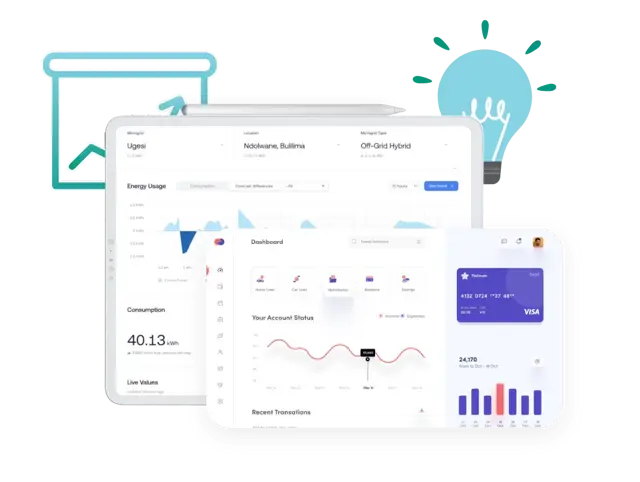
Digitising internal agenda with measurable returns
Integration with ERP, CRM and third-party systems
Process analysis, data model and data migration
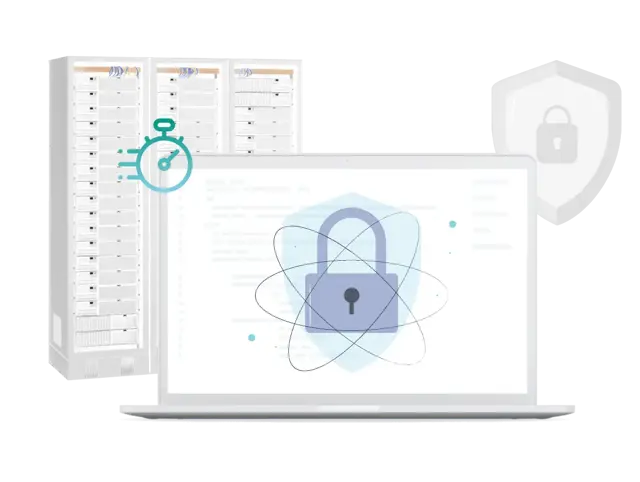
Roles, permissions and internal data protection
User training and an interface people do not avoid
How information system development works
Compared with an application for customers, internal systems have two extra phases — the ones projects most often fail on: migrating historical data and training the people who will have to work in the system every day. We plan both from the start, not with whatever budget is left.
Process and data analysis
Workshops with the people who actually do the work — mapping how the process runs, not how a policy describes it. The gap between the two is usually the most valuable thing the analysis produces.
Phase output: a functional specification and a map of data flows.
Data model and architecture
Design of the data model, roles and permissions, and interfaces to surrounding systems. In an internal system the data model is a ten-year decision, so it gets its time before any code is written.
Phase output: the data model, the permission model and an integration design.
A prototype to click through
A clickable prototype of the key screens, reviewed by the future users — we design it in Figma. Comments at this stage cost hours; the same comments after launch cost weeks.
Phase output: an approved prototype and an updated specification.
Development and integration
Development in iterations with ERP, accounting and other systems connected as we go. We tackle integrations early, because that is where the surprises that move a schedule appear.
Phase output: working modules on a test environment after every iteration.
Data migration
Cleaning and transferring historical data from the existing system or spreadsheets. First a trial migration into a test environment, where you verify on real data that balances, history and relations hold.
Phase output: an approved trial transfer and a prepared rollback path.
Training and go-live
Role-based training, documentation handed over, and the live transfer usually over a weekend. In the first weeks we watch where users make mistakes and adjust the interface at those points.
Phase output: the system live and the key users trained.
Operation and growth
After launch a service agreement takes over, along with development driven by priorities that emerge from real use. Large systems add project management.
Phase output: a guaranteed response time and a development plan for the period ahead.
How much an information system costs
The ranges come from projects actually delivered and from the same model our price calculator runs on. By far the most common and cheapest option is the first one — an extension on top of what you already have.
Extension of an existing system
3–5 months of development
CZK 650,000 – 1,500,000
One specific agenda built alongside your ERP and connected through an API — approvals, capacity planning, a portal for branches. You leave the core that works alone and solve only what is missing.
A standalone company system
6–12 months of development
CZK 1,500,000 – 4,500,000
A system covering the whole agenda of one department — several modules, roles and permissions, reporting and integrations with surrounding systems. The most common scope of standalone engagements.
A company-wide system
from 18 months of development
from CZK 6,000,000
A system for the whole company across departments, with dozens of roles and connections to critical systems. At this size a range stops being useful; we price it after the analysis, usually in stages.
What drives the price of an information system most
- The number of modules and agendas the system must cover — every additional area means its own screens, rules and reports.
- The number of user roles and the granularity of permissions; a model down to field level costs far more than three access tiers.
- Connections to ERP, accounting or public registers — days for a documented API, weeks for older systems with no interface.
- The volume and quality of historical data; cleaning duplicates and inconsistent code lists usually costs more than the transfer itself.
- The complexity of approval processes and calculations — multi-stage workflows with exceptions raise the price more than anything else.
- The scale of training and go-live; running across several sites at once needs its own deployment plan.
The amounts are exclusive of VAT and cover analysis, design, development, testing, data migration and training. These are indicative ranges; the actual price depends on the specific brief, the extent of integrations, the quality of the data and other parameters of the project. The development times apply to a standard project scope — the real schedule is driven mainly by the range of features, the integrations, the availability of source materials and your team's input. For an indicative figure for your own brief use the software development price calculator; the exact one comes out of the process analysis. The contractual framework and code ownership are covered under custom software development.
Calculate an indicative priceIntegration and migration: the riskiest part of a project
Given a well-defined brief, the development itself can be estimated relatively accurately. The biggest uncertainty usually sits in the integrations and the historical data — other people's systems behave differently from their documentation, and historical data appears in no documentation at all. So we tackle both as early as possible.
The systems we connect to
Twenty years have taught us a fair amount about how each platform behaves in practice. Most often these:
- ERP and enterprise systems — SAP, Helios, Microsoft Dynamics, ABRA, Money.
- CRM platforms — Salesforce, Microsoft Dynamics CRM and custom-built systems.
- Accounting and invoicing packages, including document exchange in the ISDOC format.
- Public registers and interfaces — data boxes, ARES, the commercial register, the VAT payer register.
- Banking APIs for payment matching and bulk payment orders.
- Carriers, warehouse systems, barcode scanners and GPS units.
Migration and go-live with minimal impact on operations
The live transfer is a one-shot operation that cannot be retried. We plan the migration and go-live so that the impact on your operations is as small as possible:
- An audit of existing data — duplicates, missing relations, historically inconsistent code lists.
- A trial migration into a test environment where you verify balances and history on real data.
- The live transfer only after written sign-off of the trial run, usually over a weekend.
- A prepared path back to the old system in case something only shows up in production.
- For critical agendas, both systems running in parallel for an agreed period.
- Role-based training and heightened support in the first weeks, when most questions arise.
Information systems that daily operations rest on
Four projects where our clients' employees use the system every day. The full list is in the references section.
System for client and network infrastructure management
For an internet service provider we built a system managing the client database, connection points, tariffs and payments. It records the technical infrastructure and connects to invoicing, so the commercial and technical agenda run in one environment.
Result: sales, technicians and invoicing work on the same data instead of three separate records.
Eurosignal case studyIn-house system for an eye clinic
For the Horní Počernice eye clinic we are building an in-house web application for staff and operational agenda — employee document management, equipment records, planning of internal processes and overviews of HR and operational data. It includes a model of roles and permissions based on who works with which agenda.
Result: management and staff have the employee and operational agenda in one place.
IRIS case studyCRM for field sales representatives
A CRM system for a pharmaceutical company organising the work of field representatives — visit planning, meeting records and results reporting. It had to work for people who spend most of their time out of the office.
Result: management sees the sales network's activity as it happens, not in a monthly report.
Green-Swan case studyPoint-of-sale system and gallery loyalty programme
For Galerie Rudolfinum we delivered a point-of-sale system joined to the loyalty programme's client management. Staff at the desk see a visitor's history and can offer individual terms; marketing builds its communication on the same data.
Result: the box office and marketing work on one client database.
Rudolfinum case studyFrequently asked questions about company information systems
Technologies we work with
We build enterprise systems on technologies that handle both heavy load and a long life. Backend on Ruby on Rails, frontend in React, data in PostgreSQL and integrations through documented APIs. We use widely adopted technologies with a long-established community and ecosystem, so the system connects safely to its surroundings and grows with the company. Our full technology stack is written up on its own page.
















Working on a company information system?
Tell us which agenda is holding you back most. In the first consultation we go through the process, the existing systems and the data, and tell you whether an extension of what you have will do or whether the system is worth rebuilding — including indicative scope and price.